Retagging Artifacts
User with sufficient privileges can copy artifacts in Harbor to different repositories and projects. For example, you can copy images as follows:
develop/app:v1.0–>release/app:v1.0release/app:v1.0–>archive/app:v1.0
The copied artifact keeps the tags that it has in the source repository. To add a different tag to an artifact, see Tagging Artifacts.
To copy an artifact, you must have read permission (guest role or above) in the source project and write permission (developer role or above) in the target project.
In the Harbor interface, select the artifact to copy, click Actions, and then click Copy.
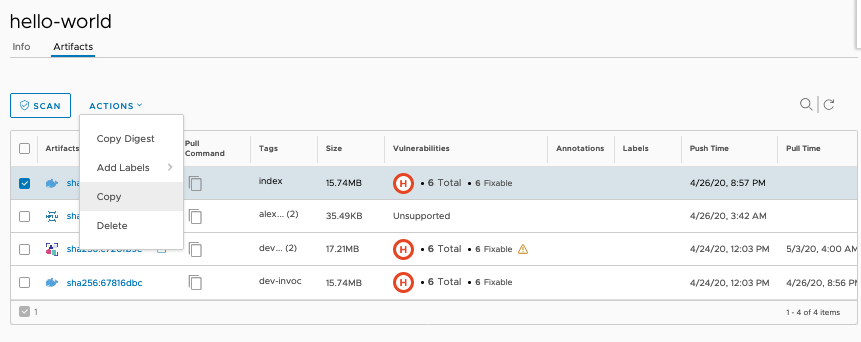
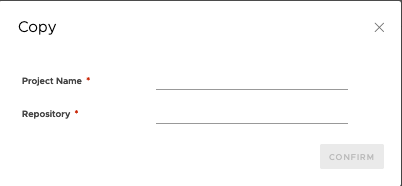
In the Copy window, enter the destination project name and repository name, and click Confirm. Harbor also copies any artifacts that the artifact references if it is an image index, and its accessories, such as Cosign signatures and SBOMs.
Contributing